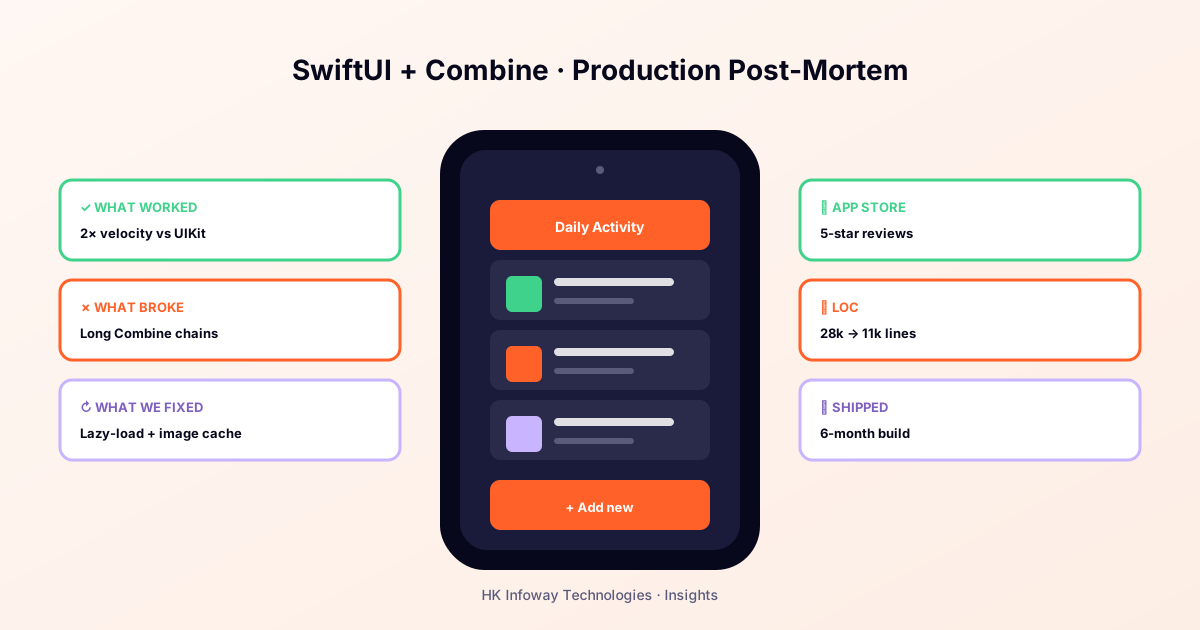
If you're starting a new iOS app in 2026, the SwiftUI-vs-UIKit debate is over for greenfield work, but it's more nuanced than the Twitter takes suggest. After shipping 9 SwiftUI apps and 14 UIKit apps to production (see our mobile portfolio), here's our honest take.
Where SwiftUI now wins clearly
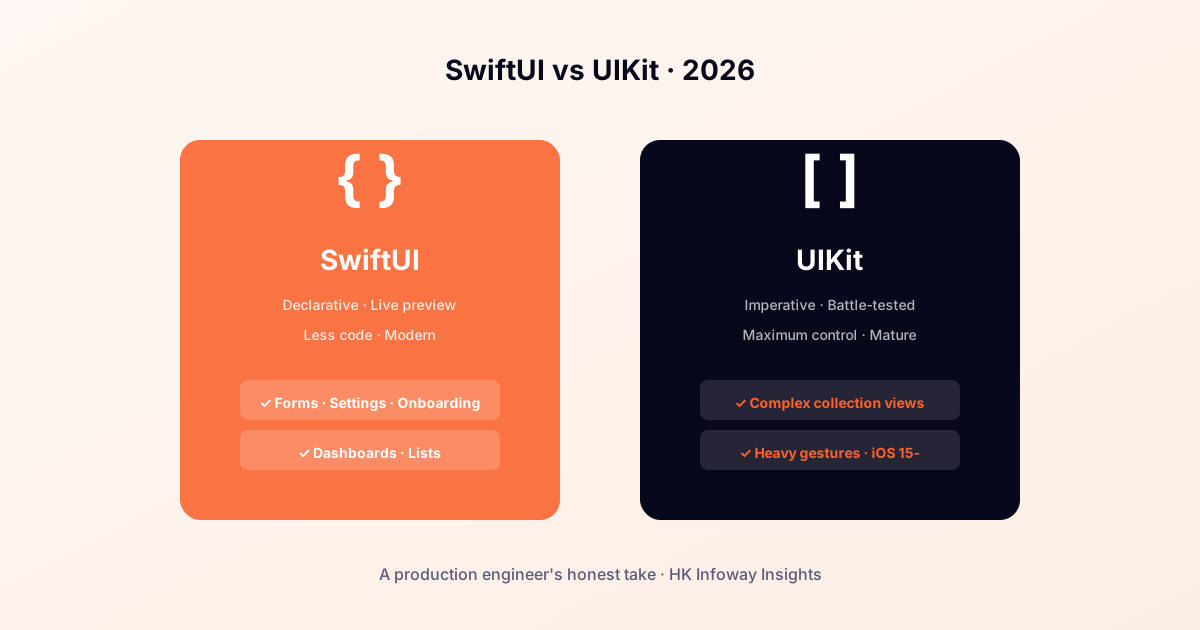
Forms, settings screens, list-detail flows, onboarding sequences, dashboards, these are SwiftUI's sweet spot. Development velocity is 2–3× UIKit. Live previews shorten the design-iteration loop dramatically.
Combine with @Observable (iOS 17+) and structured concurrency, and the codebase ends up significantly smaller than its UIKit equivalent. One app we ported dropped from 28,000 to 11,000 lines.
Where UIKit still wins
- Complex collection views. UICollectionViewCompositionalLayout still has no SwiftUI peer for advanced layouts.
- Heavy gesture choreography. Custom interactive transitions, advanced pan gestures, and pinch-rotate-pan compositions are still cleaner in UIKit.
- Hard performance ceilings. 60fps scrolling on dense feeds with mixed media, UIKit gives you more knobs.
- iOS 15 and below support. Many SwiftUI APIs you actually want require iOS 16+.
The pragmatic answer: mix them
Every app we ship in 2026 is SwiftUI-first with UIKit drop-ins where needed. UIViewRepresentable and UIHostingController let you interop in both directions cleanly. We've never regretted writing the shell in SwiftUI and importing one heavy UIKit screen.
What about new teams?
If you're hiring iOS engineers, optimise for SwiftUI fluency with UIKit literacy. The reverse, UIKit-first engineers who treat SwiftUI as "that new thing", will limit your codebase's future. (The same principle applies to Kotlin / Android engineers on the Jetpack-Compose vs XML question.)
The verdict
SwiftUI in 2026 is mature enough to be the default. UIKit is mature enough to be the fallback when SwiftUI hits a wall. Don't pick sides, pick the right tool for each screen.
Hiring iOS engineers who get this balance? We're hiring SwiftUI devs. Building an iOS app? See our mobile dev services.